Shopify blog
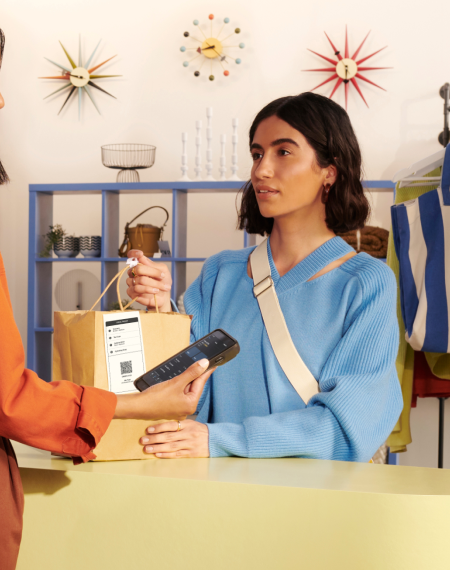

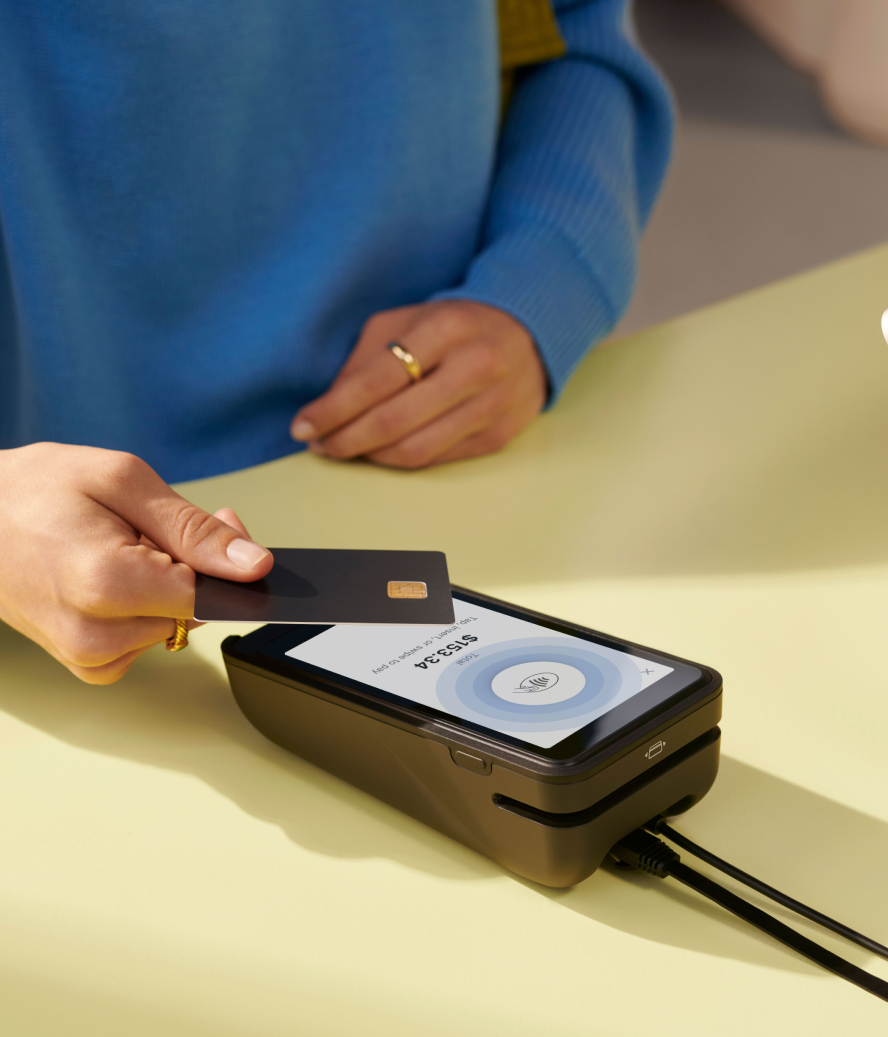

A point-of-sale (POS) terminal is where a retail business processes payments, builds customer relationships, and gathers the sales insights that help the brand grow. Today’s POS terminals do far more than ring up sales: the right system helps you understand customers, manage inventory across channels, and make smarter decisions based on data insights.
Grand View Research estimates the POS terminal market at $133.3 billion in 2026, rising to $226.8 billion by 2033.
This guide covers what POS terminals are, their essential features, what they cost, how to choose one, and the best POS terminals for retailers.
What is a POS terminal?
A POS terminal is a hardware device that runs software to accept payments, manage inventory and customer data, and generate sales reports. It simplifies checkout and supports a smooth customer experience.
“Point of sale” refers both to where a sale happens and to the software-and-hardware combination. A POS terminal is also called a POS system, or just a POS.
POS terminals have several key components:
- A smart device, like a tablet or smartphone, that runs the POS software
- A barcode scanner paired to the terminal
- A payment terminal, or card reader, that processes payment methods including credit and debit cards, gift cards, and mobile payments
- POS software that ties these tools together
POS terminal vs. POS system vs. card reader
People often use these terms interchangeably, but there are differences:
- A POS terminal is a device that processes card payments; modern versions often provide full POS system capabilities.
- A POS system is a complete hardware-and-software setup for managing sales and customer interactions.
- A card reader is a simpler device for accepting card payments, common among smaller and on-the-go businesses.
Types of POS terminals
There are two main types of POS terminals, countertop and mobile, plus four other common setups: tablet and cloud-based systems, integrated customer displays, self-service kiosks or unattended terminals, and Tap to Pay.
Most stores use one or more types of POS terminals, and the right mix for your business depends on factors like:
- Whether you run a permanent store, a pop-up stall, or another setup
- Your store layout, such as mobile terminals on the floor or a fixed counter
- Whether your products need hands-on help or customers can self-serve
Here’s what each POS terminal type does:
Countertop POS terminals
A countertop terminal, or cash wrap terminal, is the setup most people picture at a checkout counter: a screen (often a tablet), a card reader, a barcode scanner, a cash drawer (though some stores have phased this out), and a receipt printer. Depending on store size, a business may have one or more POS terminals. Countertop POS terminals are stationary.
Mobile POS terminals
Mobile POS systems run on small, handheld devices. They have the same features as a cash wrap terminal but without a cash drawer; you can still take cash if you keep a register somewhere in the store. Mobile terminals let staff help customers on the floor while they shop, give recommendations, and look up inventory without interrupting the experience.
Tablet and cloud-based POS systems
Tablet and cloud-based systems use a tablet or smart device as the checkout screen, connected to payment readers, barcode scanners, cash drawers, receipt printers, and other peripherals. Shopify POS integrates with all of these, and you can buy hardware piece by piece or as complete kits. These POS terminals can be used as mobile or countertop setups.
Integrated customer-display POS terminals
Integrated customer-display terminals combine checkout and customer-facing payment flows. Shopify POS Terminal, for example, pairs the POS Terminal Reader with the POS Terminal Dock so the reader doubles as a customer display in Customer Display Mode.
Self-service kiosks and unattended POS terminals
Self-service kiosks and unattended POS terminals let customers complete part or all of checkout without a cashier. PwC reported that 55% of consumers used self-checkout while holiday shopping, and 27% used in-store navigation kiosks to find products and check availability.
Tap to Pay POS setups
Tap to Pay setups let eligible businesses accept contactless payments on a compatible smartphone, with no separate card reader.
Shopify Tap to Pay on iPhone lets store owners accept contactless debit and credit cards, Apple Pay, and other digital wallets with an iPhone and the Shopify POS app.
It stands up to high-traffic environments, too. Curtis Ulrich, director of ecommerce at Aviator Nation, says, “We’ve processed upward of 2,000 to 3,000 transactions a day at these music festivals with a card reader and an iPhone.”
What is a POS terminal used for?
A POS terminal simplifies the sales process, letting a business process and manage transactions wherever a customer buys. Functions vary by system. The following use cases are the most common:
Customer profiles and clienteling
A POS system can be a strong clienteling tool for building customer relationships, as it helps unify customer data to personalize the shopping experience. Shopify POS, for instance, has flexible clienteling features that let staff see customer preferences, past purchases, and loyalty points at checkout.
Shopify POS customer profiles can store:
- Contact information
- Purchase history
- Preferences
- Metafields
- Marketing preferences
- Customer gift card information
According to Q4 2024 Shopify POS data (vendor-reported, not independently verified), brands using Shopify POS reach an 80% in-store email capture rate, a common first step for building customer relationships. With that data, associates can recommend relevant products, follow up with personalized offers, and keep interactions consistent across channels.
Home furnishings retailer Jenni Kayne is one example. Their customers shop across channels and often take months to decide on big purchases. Migrating to Shopify unified their customer profiles, giving associates the insights to guide shoppers through the buying journey.
Jenni Kayne’s Shopify migration let the brand:
- Offer personalized omnichannel experiences
- Increase shopper engagement
- Build deeper customer relationships
- Help employees deliver better service
Payment processing
POS terminals accept multiple payment methods: cash, credit and debit cards, contactless payments like mobile wallets and Tap to Pay, and NFC-based methods like Apple Pay and Google Pay. They also communicate with the financial institutions involved to authorize transactions and move funds from the customer’s bank to your merchant account.
Babylist is one retailer benefiting from Shopify’s payment processing. As they grew, they needed a POS that could unify disjointed inventory data before opening their first permanent store. Shopify POS connected Babylist’s online and in-store experiences and let staff take payments quickly.
Speed and omnichannel access impact the customer experience. As Si-Si McCracken of Babylist says, “Shopify POS is a very simple system, and being so mobile and taking payment quickly is what guests are looking for. Being able to start guests’ profiles and look up previous transactions is key to a seamless experience when a guest returns, or a gift receiver stops in for an exchange or return. Today’s shoppers expect that type of functionality.”
Inventory management
A POS terminal stores your product catalog and updates inventory automatically when a sale is made. To check availability, scan the product barcode or search by name, SKU, or keyword.
Without automated tracking across channels, disjointed stock causes immediate friction. Mandalyn Renicker, owner and chief bike lady at Offbeat Bikes, experienced this firsthand: “If a bike or a certain part had just sold out at the shop, our online shoppers weren’t necessarily aware of that. That led to us overselling items and having to manually cancel orders and issue refunds,” she says.
Some advanced systems, like Shopify POS, update inventory levels in real time as transactions occur. According to Q4 2024 Shopify POS data, this use case can save store owners more than 10 hours a month on inventory management with Shopify POS.
Data and reporting
Reporting is another way POS terminals support operations. A POS tracks data on every transaction and product, revealing which items sell best, when the store is busiest, and which staff make the most sales. Use these analytics for inventory management, sales analysis, accounting and tax reporting, and faster decisions.
Printing or emailing receipts
POS terminals can print receipts or send them digitally by email or text once a transaction completes. For example, Shopify offers POS email as a feature within the POS system.
Staff permissions and scheduling
Some POS terminals assign staff roles and integrate with scheduling tools that feed real-time sales data into shift planning, which helps managers forecast busy periods and staff scheduling accordingly. Staff roles can also set permissions for what each employee can do, such as reserving refunds above a threshold or custom discounts for managers.
Loyalty and rewards
A POS terminal with built-in loyalty software lets retailers reward their best customers. These systems track shopping preferences and purchase data (who buys what, and how often), so retailers can design loyalty programs that build a repeat customer base.
Emailing carts to customers
Adding items to a shopper’s cart is simple: scan a barcode or search the POS, and the system calculates the subtotal and total after fees, discounts, and tax. Shopify POS includes an email cart feature that lets a retailer build a cart and email the shopper an itemized list with a link to the store’s online checkout. The shopper completes checkout online, and the transaction appears as a completed order in Shopify.
Bared Footwear previously juggled multiple online and POS systems to sync inventory, which forced them to close stores during online sales.
As Alexandra McNab, their chief operating officer, points out, that friction impacted both sides of the business. “We had no way of making sure that we didn’t oversell without shutting down a sales channel or reducing the amount of stock available to the online customer, which was really frustrating operationally. It was also a really negative customer experience—we wanted to be able to welcome our customers to our stores during sales.”
Switching to Shopify POS fixed those operational problems and improved the customer experience through email carts. Associates can send pre-loaded carts to customers’ emails, letting them shop on their own terms while keeping in-store and online sales connected.
“These fulfillment options wouldn’t be possible if our store inventory, orders, and checkout wasn’t linked to our online store checkout like it is with Shopify,” says Alexandra. “It’s a much better experience for the customer and helps secure sales that may have otherwise been lost.”
How a point-of-sale (POS) terminal works
A POS terminal turns a shopper’s items and payment into an approved sale record: the software calculates the total, the payment terminal captures card or wallet details, the processor requests authorization, and the POS updates orders, receipts, and inventory.
Here’s each POS terminal step in more detail:
Checkout
A shopper brings an item to the counter. The cashier scans its barcode or looks it up in the POS by category, name, or SKU.
Payment collection
The terminal calculates the total, including fees and sales tax. The customer chooses a payment method (e.g., credit card, cash, mobile payment) and inserts, swipes, or taps their card or phone, or hands over cash. Modern terminals accept EMV chip cards, contactless cards, NFC mobile wallets, and magstripe fallback, where supported.
Payment authorization
The Payment Card Industry Data Security Standard (PCI DSS) governs card payments and applies to any organization that stores, processes, or transmits cardholder data. For digital payments, the card reader captures the card or wallet details and sends them to the payment processor. The terminal then sends an authorization request to the acquiring bank (the merchant’s bank) through the payment gateway.
The acquiring bank forwards the request to the card network (for example, Visa or Mastercard), which sends it to the issuing bank (the customer’s bank). The issuing bank verifies the details and available funds, then approves or declines. That decision travels back through the card network and acquiring bank to the terminal.
Completion of sale
If approved, the terminal prints or sends a receipt on request, and the cash drawer opens for any change. If declined, it shows an error and the cashier asks for another payment method. Behind the scenes, the software logs the transaction, deducts the item from inventory, updates stock, and feeds the data into reporting.
Settlement
At the end of the day, the business runs a batch settlement: the POS sends all approved transactions to the acquiring bank, which processes the payments and transfers funds to the merchant’s account.
How much does a POS terminal cost?
A POS terminal’s total cost includes the device, accessories, software, payment processing, support, warranties, and setup time. Compare costs these together rather than by the sticker price alone.
Hardware and accessory costs
Hardware can include the payment terminal, tablet or touchscreen, barcode scanner, receipt printer, cash drawer, customer display, stands, and network accessories. Shopify’s POS terminal costs $349 (at the time of publishing) and offers peripherals such as cash drawers, scanners, and printers at added cost.
Software subscriptions and payment processing fees
Hardware is mostly an upfront cost, aside from maintenance and replacements. You also pay for the software that runs it and for payment processing, which both add up. Software pricing depends on your hardware provider; Shopify’s POS software runs from $29 per month to $2,300 per month (billed yearly). Processing fees vary by provider, card type, transaction type, and contract, so compare them alongside hardware and software costs.
Support, warranties, and setup costs
Setup, ongoing support, and warranties round out the total, and they vary by service level. A basic package may include only a short warranty and limited setup help. According to Q4 2024 Shopify POS data, Shopify POS has a 22% lower total cost of ownership than other systems in the measured comparison set.
That aligns with Shopify’s POS market report, in which EY analyzed more than 3,800 business records and survey responses from more than 600 retail organizations and agencies; businesses using Shopify POS reported 22% better total cost of ownership and 20% faster implementation than the surveyed market set.
POS terminal hardware and software: what you need
A POS terminal needs software to run checkout and hardware to capture payments and complete the in-store workflow. Some stores use one compact device; others pair a tablet, card reader, scanner, receipt printer, cash drawer, and customer display.
Here’s what each POS terminal component does:
POS software
POS software connects the checkout screen to products, inventory, orders, customer profiles, receipts, staff permissions, and reporting. Shopify’s point-of-sale app, for example, unifies online and retail stores and supports:
- Payments
- Customer profiles
- Inventory
- Orders
- Gift cards
- Receipts
- Returns
- Split payments
- Integrated hardware
- Local pickup
The app also brings in POS Pro features if you subscribe to that add-on.
Payment hardware
The main piece of payment hardware is the POS terminal itself, which varies in size and function. Countertop and mobile terminals can add features like a customer display, while simple card readers can take card payments with a light or sound confirmation.
Peripherals and network connections
Other common peripherals include barcode scanners, receipt printers, cash drawers, customer displays, stands, and card readers. Shopify POS works with many of these, sold piece by piece or as kits in the Shopify store. Peripherals make completing the sale easier or more flexible, such as accepting both cash and card.
These components rely on a stable, shared network. Some, like the terminal, work wirelessly, but a wired connection is more stable. Shopify’s POS Hub can connect all your hardware to the same wired network.
How to choose the best POS terminal for your business
The right point-of-sale terminal matches the checkout setup to how the store sells: fixed counter, sales floor, pop-up, event, self-service, or multiple locations. From there, compare payment methods, inventory sync, hardware compatibility, offline behavior, POS security, support, and total cost.
Here’s how those factors break down:
Payment methods
U.S. in-store payments are still card-heavy, but mobile wallets now hold a meaningful share. Worldpay’s 2026 Global Payments Report says credit cards made up 40% of U.S. in-store POS transaction value in 2025, debit cards 28%, and digital or mobile wallets 17%.
Choose a terminal that accepts all major debit and credit cards, digital payments like Google Pay and Apple Pay, and contactless options like Tap to Pay. Many terminals also support gift cards or splitting payment across methods.
Fees and total cost
POS terminals combine software and hardware, so cost varies.
The main POS cost considerations are:
- Hardware
- Monthly software subscriptions
- Card-present rates
- Keyed or manual-entry rates
- Optional cellular or connectivity costs
- Accessory costs
- Support fees
To keep fees manageable, choose a provider with integrated payment processing. Shopify Payments, for example, is standard on all Shopify POS plans with no sign-up or setup fees. Pricing varies by provider, so verify fee structures before deciding.
Integrations and inventory sync
Running separate systems for your store and website adds complexity and can hurt the customer experience. A better approach is a POS built on the same foundation as your other operations, where inventory, customer data, and payments work together.
From there, you can integrate specialized tools, like:
- Accounting apps for financial reporting
- Scheduling tools for staff management
- Industry-specific features for your needs
That approach keeps core operations on one platform while letting you add functionality as you grow.
Hardware compatibility
A good POS syncs with the hardware you need: barcode scanners, card readers, receipt printers, and more. Some systems lock retailers into proprietary, expensive setups. Shopify supports flexible hardware compatibility so you have the freedom to choose the right tools for your business.
Offline mode and flexibility
Some terminals offer an offline mode with local data storage, so you can keep selling without the internet. Offline behavior varies by provider, so check whether a terminal works offline and has security and backup measures for offline transactions.
With Shopify, offline checkout accepts cash and manual payments without a connection, and you can enable offline credit and debit card payments, subject to permissions and limits.
Security
Retail businesses handle sensitive personal and payment data. Shortlist options with current security features (end-to-end encryption, user authentication, and data tokenization) that comply with regulations, especially the Payment Card Industry Data Security Standard (PCI DSS).
The FTC advises businesses that handle credit card or other sensitive financial data to use Transport Layer Security (TLS) or another secure connection to protect data in transit. Safeguarding this data protects your business from breaches and fraud.
Support and scalability
As your business grows, your POS should scale with it, so choose a provider that lets you add locations without downtime. You’ll also want ongoing software updates and occasional hardware upgrades. According to Q4 2024 Shopify POS data, Shopify POS enables up to a 5% sales uplift through operational improvements like these.
Best POS terminals for retailers
The best POS terminal depends on your business type and checkout needs. These eight providers are among the strongest options available, each addressing different retail needs:
| Terminal | Payment processing | Software | Hardware |
|---|---|---|---|
| Shopify POS | 2.4%–2.6% + 10¢ | $39/month; Pro +$89/location | Reader $49; Terminal $349 |
| Square | 2.6% + 15¢ | Free base POS | Reader $59 |
| Clover Flex | Quoted separately | Monthly plan required | Purchase or subscription |
| PayPal Point of Sale | 2.29% + 9¢ | No monthly fee | Reader $29; Terminal $199 |
| Toast Go 3 | Custom quote | Custom quote | Custom quote |
| Stripe Terminal | 2.7% + 5¢ | No Terminal subscription | $59 or $299 |
| SumUp Plus | 2.6% + 10¢ | No monthly fee | $54 |
| Lightspeed Retail | 1.5% card-present | From $89/month | Custom quote |
| eHopper | Processor fees or surcharge | Free; paid from $14.99 | Separately priced |
| Helcim | Interchange + 0.4% + 8¢ | No monthly fee | Reader $199 |
| KORONA POS | Third-party processor rates | $59–$99/month | Custom quote |
1. Shopify POS
Shopify POS is a comprehensive system that works in-store and online, simplifying daily operations and helping you build customer relationships. It comes with advanced inventory management, staff performance tracking, ecommerce integrations, built-in payment processing, and reporting and analytics.
Every sale captures customer data and updates orders and stock, making it easier to build customer profiles and run targeted marketing. Shopify POS also connects your in-store and online sales, with omnichannel selling, sales tracking, and retail reporting. When everything is connected, customers can do things like pick up online orders in-store.
Shopify also offers flexible payment options, including contactless and digital methods like Tap to Pay. This turns a smartphone into a mobile POS terminal, with no cash register required. You can check customer data, process transactions, and take contactless payments from a device you already own.
Shopify POS features
- Omnichannel selling
- Intuitive and fast checkout
- Smart inventory management
- Complete customer profiles with order history
- Email capture
- Secure and reliable POS hardware
- Shopify Payments
- Tap to Pay with iPhone
- Staff management
- Ecommerce integrations
- Reporting and analytics tools
2. Square
The Square Reader for contactless and chip payments connects to a compatible phone or tablet through Bluetooth. It accepts chip cards, contactless cards, Apple Pay, and Google Pay. Offline payments can be accepted for up to 24 hours.
Square also sells a separate reader for magstripe. That reader accepts swiped cards only; it does not process chip or contactless payments.
Square card reader features
- Bluetooth 5.3 connectivity
- Chip and contactless payments
- Offline payments for up to 24 hours
- Compatible with iOS and Android devices
- One-year limited warranty
Pros
- Accepts chip cards and digital wallets
- All-day battery
- No monthly fee for the base POS app
Cons
- Uses a compatible phone or tablet
- Does not accept magstripe payments
- Magstripe reader sold separately
Pricing
The contactless and chip reader costs $59. In-person tap and chip payments cost 2.6% plus 15¢ per transaction. Square offers custom rates to qualifying businesses processing more than $250,000 annually.
3. Clover Flex
Clover Flex is a standalone handheld POS with a nearly six-inch touchscreen, receipt printer, camera, and barcode scanner. It accepts swipe, chip, contactless, and mobile-wallet payments through Wi-Fi or LTE.
Clover Flex features
- Built-in receipt printer
- 1D and 2D barcode scanner
- Wi-Fi and LTE connectivity
- At least eight hours of typical use
- Digital and printed receipts
Pros
- Operates without a separate phone
- Accepts swipe, chip, and contactless payments
- Built-in printer and scanner
Cons
- Uses Clover payment processing
- Inventory and itemized orders depend on the software plan
- Hardware subscriptions are noncancelable
Pricing
Clover offers Flex through an upfront purchase or hardware subscription. It also charges a monthly software fee and separate processing fees. Exact costs vary by business type and the Starter, Essentials, or Services Growth plan. Check the Clover Flex pricing page for the current configuration and contract terms.
4. PayPal Point of Sale
PayPal Point of Sale offers a card reader that pairs with the PayPal POS app and a standalone POS terminal with the app built in. An upgraded POS terminal adds a barcode scanner.
PayPal Point of Sale features
- Contactless and chip payments
- Free POS app
- Inventory tracking
- Sales reports
- Optional barcode scanner
Pros
- No monthly or setup fees
- No long-term commitment
- Card reader and standalone POS terminal options
Cons
- Card reader uses a compatible mobile device
- Barcode scanner costs extra
- Hardware works only with PayPal’s payment infrastructure
Pricing
The first card reader costs $29, and additional readers cost $79 each. The POS terminal costs $199, or $239 with the barcode scanner. Card-present and QR-code transactions cost 2.29% plus 9¢. Manual card entry costs 3.49% plus 9¢.
5. Toast Go 3
Toast Go 3 is a handheld POS for restaurants. It has an IP65 rating, withstands drops of up to five feet, and offers more than 24 hours of battery life. The device can switch between Wi-Fi and cellular connectivity.
Toast Go 3 features
- Built-in payment processing
- Wi-Fi and cellular connectivity
- More than 24 hours of battery life
- IP65-rated enclosure
- Tableside ordering and payments
Pros
- Five-foot drop rating
- Spill-resistant enclosure
- Built for restaurant workflows
Cons
- Uses Toast software and payment options only
- Restaurant-focused feature set (not applicable to other industries)
- Hardware and processing prices require a quote
Pricing
Toast no longer publishes a fixed US price for the Toast Go 3 or a standard processing rate. Hardware, implementation, software, and card-processing costs depend on the restaurant’s configuration. Toast’s Starter Package offers a pay-as-you-go option that lowers upfront hardware costs through an adjusted platform rate. See Toast’s website for pricing.
6. Stripe Terminal
Stripe Terminal offers mobile readers, smart readers, and Tap to Pay for compatible phones. The Reader M2 connects through Bluetooth and accepts chip, contactless, and magstripe payments. The S700 and S710 can run a customized POS app directly on the device.
Stripe Terminal features
- Multiple reader options
- Tap to Pay
- EMV-certified hardware
- End-to-end encryption
- SDK and API integrations
Pros
- Hardware for mobile and countertop checkout
- Available across multiple countries
- No separate terminal subscription
Cons
- Custom checkout flows use Stripe’s SDKs or APIs
- Reader M2 is available only in the US
- POS software or an integration is purchased separately
Pricing
The Reader M2 costs $59. The S700 and S710 cost $299 each. Card-present transactions cost 2.7% plus 5¢. Tap to Pay adds 10¢ per authorization. Cellular service for compatible readers costs $10 per reader per month.
7. SumUp
The SumUp Plus connects to the free SumUp app through Bluetooth. It accepts magstripe, chip, contactless, Apple Pay, and Google Pay transactions.
SumUp features
- NFC and Bluetooth
- Chip, swipe, and contactless payments
- More than 500 transactions per charge
- Free mobile app
Pros
- No monthly subscription or minimum
- Multiple payment methods
- Optional charging cradle
Cons
- Uses a separate phone or tablet
- No built-in receipt printer
- No on-device POS app
Pricing
The SumUp Plus costs $54. In-person payments cost 2.6% plus 10¢ per transaction. Online and manually entered payments cost 3.5% plus 15¢. SumUp does not charge a monthly fee for the reader or app.
8. Lightspeed Retail
Lightspeed Retail’s mobile POS runs on compatible iPhones and iPads. Staff can process payments, check inventory, complete orders, and view sales information from the device.
Lightspeed features
- Mobile checkout
- Integrated payments
- Inventory management
- Sales reporting
- Accounting and ecommerce integrations
Pros
- One register included
- Mobile inventory and checkout
- 24/7 chat and phone support
Cons
- Payment hardware priced separately
- Extra locations and registers add costs
- Advanced features use higher-priced plans
Pricing
Lightspeed Retail pricing starts at $89 per month for Basic. Core costs $149 per month, and Plus costs $289 per month. Each listed plan includes one location and one register. The published card-present rate is 1.5%. Hardware and additional register costs require a quote.
9. eHopper
eHopper is POS software for compatible Android devices, Windows PCs, and payment terminals. Its features include inventory, customer records, employee management, reporting, and integrated card payments.
eHopper features
- Inventory management
- Customer records
- Employee management
- Reporting
- Cash discounts and surcharges
Pros
- Free and paid software tiers
- Compatible with several device types
- Can work with different payment processors
Cons
- “Free processing” uses cash discounts or card surcharges
- Hardware promotions have processing conditions
- Features vary by subscription tier
Pricing
The Essential plan is free. Essential Plus costs $14.99 per month, Freedom costs $24.99, Restaurant costs $29.99, and OmniChannel costs $39.99. Annual billing lowers those prices.
eHopper’s free-processing program does not eliminate card-processing costs. It uses a cash-discount or surcharge structure that reflects those costs in customer pricing where permitted. Standard processor fees apply outside that program. Hardware is priced separately, and free-terminal promotions include eligibility and processing terms.
10. Helcim Card Reader
The Helcim Card Reader accepts tap, chip, PIN, and mobile-wallet payments. It can operate as a standalone reader or pair with a computer, tablet, or phone. Connectivity includes Wi-Fi and optional built-in mobile data.
Helcim features
- Tap and chip payments
- Standalone or paired operation
- Wi-Fi and optional mobile data
- Card-on-file transactions
- Email receipts
Pros
- No monthly account or software fee
- Built-in customer and inventory tools
- Volume-based processing discounts
Cons
- No offline payment mode
- No magstripe reader
- Mobile data costs extra
Pricing
The reader costs $199, plus shipping. Optional mobile data costs $7 per month. Helcim uses interchange-plus pricing, not a fixed 1.83% rate. Businesses processing up to $50,000 per month pay the card-network interchange rate plus 0.4% plus 8¢ for in-person transactions.
11. KORONA POS
KORONA POS is POS software for retail, quick-service, and ticketing businesses. It offers checkout, reporting, product management, gift cards, inventory tools, and integrations with compatible payment processors and hardware.
KORONA POS features
- Cloud-based POS software
- Product and inventory management
- Reporting and analytics
- Multi-location tools
- Processor choice
Pros
- Works with different payment processors
- Unlimited users and sales
- 24/7 support
Cons
- Hardware priced separately
- Inventory automation begins on Retail subscription tier
- Industry modules add monthly fees
Pricing
KORONA POS Core costs $59 per month, Retail costs $79 and Plus costs $99. Optional modules include Food for $10 per terminal, Ticketing for $50 per gate, Franchise for $30 per franchise, and Integration for $45 per token.
KORONA does not charge its own percentage-based processing fee. Merchants still pay the rates charged by their selected payment processor. Hardware requires a separate quote.
POS terminal FAQ
What is the difference between a POS machine and a POS terminal?
A POS machine and a POS terminal are the same thing: the physical device that runs your POS software and processes payments at checkout. The terms are used interchangeably. “POS system” is sometimes used more broadly for the full combination of hardware and software, including peripheral accessories like barcode scanners and receipt printers.
What is the primary function of a point-of-sale terminal?
A POS terminal’s primary function is to process transactions and complete a customer’s purchase. Beyond payments, most terminals also manage inventory in real time, store customer profiles, and generate sales and staffing reports, turning each sale into data you can use to run the business.
Does a POS terminal need internet?
Most of the time, yes, though it depends on your provider and service agreement. Shopify offers offline checkout for cash payments and offline card payments when specific criteria are enabled, while Square accepts offline payments for up to 24 hours.
Can I use my phone as a POS terminal?
Yes. Many providers offer an app version of their POS, such as Shopify’s Tap to Pay on iPhone. Keep in mind you’ll need extra hardware to process swipe or chip-insert payments or to print physical receipts.
Where can I buy a POS terminal?
You can buy POS terminals directly from most providers, including Shopify, Square, Clover, and Helcim. Many sell hardware piece by piece or as complete kits, so you can start with a card reader and add a barcode scanner, receipt printer, or cash drawer as your store grows. Check that the hardware works with your chosen POS software before buying.