





If you run a brick-and-mortar store, you need to accept in-person payments. Unlike online payments made through a website or an app, in-person payments happen at the point of sale (POS), which, in today’s digital world, is almost anywhere with a reliable internet connection.
Choosing which method to accept in-person payments affects the customer experience and how you run your business. Each option comes with different hardware needs, processing costs, security considerations, and operational demands.
This guide explains the most common types of in-person payments, how they work, and what to consider when choosing the right options for your business.
Types of in-person payments
Business owners have many in-person payment options. Here are the most common methods, how they work, and some of the major benefits and drawbacks of each:
Cash
Cash transactions are simple and straightforward: The customer hands you bills or coins, and you provide change if needed. You don’t need payment hardware or an internet connection to accept payments, which is useful at farmers markets, pop-ups, market stalls, and other places where connectivity may be unreliable. It’s also the preferred payment method for customers who lack a bank account.
While you skip credit and debit card processing fees and can settle payments immediately, cash payments still require work. You will need to record all cash transactions, keep enough change on hand, balance your cash register, make bank deposits, and take steps to prevent theft or loss.
Paper checks
A paper check is a small document that authorizes a payment from the customer’s bank account to your business. Once you accept the check and deposit it with your bank, the payment takes one to two days to clear.
Paper checks are useful in some cases, such as when a customer wants to make a big purchase but has a low credit card limit. You will also have a physical record of the payment and may save money on processing costs compared to cards.
However, businesses report more fraud involving checks than any other payment method, according to the Association for Financial Professionals. Consider setting a check-acceptance policy, such as verifying the customer’s identity or setting purchase limits, to help reduce fraud.
Credit and debit cards
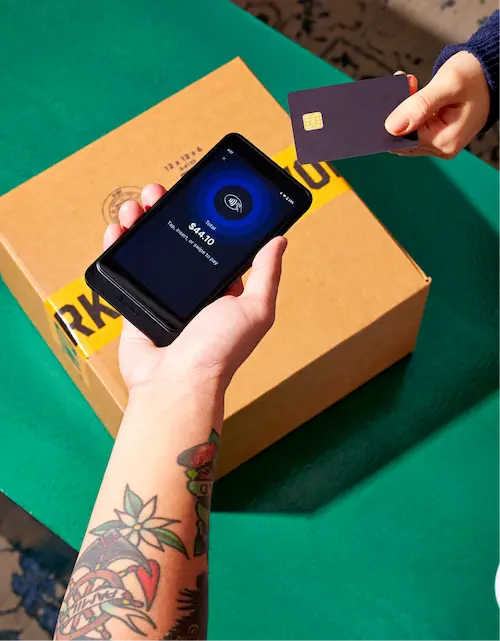
More than three-quarters (78%) of customers prefer using credit and debit cards for in-person purchases, making them a crucial part of your payment menu. At checkout, the customer swipes their card’s magnetic stripe, inserts the chip, or taps for a contactless transaction. The payment is securely processed and either accepted or declined in seconds.
You will need a card reader or a connected POS device to accept card payments. If you don’t want to purchase hardware, you can set up Tap to Pay and accept contactless payments on a smartphone. Card payments let customers make large purchases (up to their available credit limit or bank account balance), and they automatically create records that can simplify sales tracking and reconciliation.
Keep in mind you will pay debit or credit card processing fees on each transaction. These fees typically average 1.7% to 2.5% for in-person credit card payments. You will also need a reliable network connection unless you can accept offline payments.
Digital wallets
Digital wallets, such as Apple Pay and Google Pay, let customers store credit, debit, or prepaid card information on a smartphone or smartwatch. To pay in person, the customer holds their device near a contactless card reader, which securely processes the payment within seconds.
Because digital wallets are speedy, secure, and especially popular with younger consumers, they’re a good fit for most in-person businesses where speed and convenience matter.
You need a compatible payment system to accept digital wallet payments and budget for the processing costs that come with them.
Self-checkout/kiosks
Payment kiosks and self-checkout systems let customers scan, bag, and pay for purchases without a cashier. These systems are common in businesses that handle a high volume of transactions, such as grocery stores, because they shorten checkout lines and allow employees to focus on other tasks.
However, kiosks require an upfront investment in hardware and software, along with ongoing maintenance and customer service. You also need to consider accessibility, theft prevention, and how customers can get help when something goes wrong. For many businesses, kiosks work best alongside staffed checkout options.
QR codes
QR code payments let customers pay in person by scanning a code with their smartphone camera. The code directs them to a secure checkout page or payment app, where they can choose a payment method and complete the purchase. QR codes are useful in settings where a traditional checkout counter isn’t always practical, such as pop-ups, market stalls, events, and restaurants.
However, because customers generally need a smartphone and internet access to use a QR code, you’ll likely need to offer other payment options to accommodate more customers. Processing fees may also apply based on the payment method and provider.
How to accept in-person payments
- Choose a POS system
- Set up your payment processor
- Select your payment hardware
- Enable payment methods
- Configure receipts, returns, and cash handling
- Prepare for connectivity problems
- Test your checkout process
Here’s how small business owners can start accepting in-person payments whether they run retail stores or sell on the go:
1. Choose a POS system
A point-of-sale (POS) system is a central hub for handling your business transactions. For in-person sales, these systems often combine hardware to accept payments with software to manage sales information.
You may, for instance, use a card reader and cash drawer at checkout. Then you track sales, manage inventory, collect customer insights, and generate reports through the system’s software.
Some systems, like Shopify POS, can sync this data across your in-person and online sales systems.
2. Set up your payment processor
A payment processor securely handles card and digital wallet transactions and helps move funds from the customer’s payment account to your business account.
If your POS system doesn’t include integrated payment processing, choose a processor that works with your system and supports the payment methods you want to use. Then create an account and connect your business bank account and compatible hardware.
Shopify Payments is built into Shopify POS, so you don’t need to set up a separate merchant account or third-party processor. Activate it in Shopify admin and connect a supported card reader to accept in-person transactions.
3. Select your payment hardware
Choose hardware based on where and how you sell. On-the-go shop owners might use a smartphone or portable card reader, while a physical store owner may need a countertop terminal, cash drawer, barcode scanner, and receipt printer. Before buying equipment, confirm that it works with your POS system and payment processor.
Some platforms have multiple options for different sales settings and payment methods. For instance, Shopify POS supports various hardware options, including card readers, countertop terminals, Tap to Pay on smartphones, and compatible cash drawers.
4. Enable payment methods
Choose payment methods based on customer preference and how you run the business. Cards and digital wallets suit most retail settings, while cash may remain important for local markets, small purchases, or customers who prefer it. Paper checks may be an appropriate option for service-based businesses or business-to-business (B2B) companies.
The best POS systems capture all of these payment types and keep your reporting and inventory accurate.
5. Configure receipts, returns, and cash handling
Before opening the checkout, decide how you will provide receipts and process returns. Set permissions for employees who can issue refunds, apply discounts, or access the cash drawer.
If you accept cash, establish an opening balance and a process for counting the drawer at the end of each shift. Businesses that accept checks should also document identification requirements, purchase limits, and returned-check fees.
6. Prepare for connectivity problems
An internet outage shouldn’t catch your staff unprepared. Decide which payment methods you can still accept and how employees should record transactions until service returns. Cash offers a straightforward backup when electronic payments are unavailable.
Your payment platform may offer ways to accept payments when the internet drops. Eligible Shopify store owners, for instance, can activate offline card payments to continue taking credit and debit card payments during outages.
7. Test your checkout process
Run through each payment method before serving customers. Confirm that card readers connect, payments appear in the POS system, receipts reach the customer, and cash sales update in the register correctly. Employees should also know how to handle declined cards, refunds, split payments, and equipment problems.
A short practice run can expose glitches in your setup before they turn into delays at the register.
Accept in-person payments FAQ
How do you accept card payments in person?
To accept cards in person, sign up with a payment provider and use a compatible card reader, payment terminal, or smartphone. Customers can insert, swipe, or tap their cards, depending on the device.
Which payment method is most widely accepted?
Credit and debit cards, increasingly stored in Apple Pay or Google Wallet, are the most widely used in-person payment methods. They work for purchases of nearly any size and are familiar to most customers.
Which payment method is best?
There isn’t one best payment method for every business. A retail store may accept credit card payments along with digital wallets and cash, while a mobile service provider might rely on Tap to Pay. Consider customer preferences, average purchase size, processing fees, hardware costs, and where you sell. Most businesses benefit from accepting several methods rather than relying on just one.
